Making Calls from HubSpot: Options for Swiss Companies
You can make calls directly from HubSpot, either through the telephony built into HubSpot or via an integrated phone system. Every call is automatically logged against the contact in the CRM. Whether calls are also recorded, transcribed, and summarized by AI depends on the integration used: HubSpot’s own telephony and selected specialized providers support these features, while an existing connected phone system, such as Microsoft Teams, only provides the basic call details.
For Swiss companies, it is also important to consider what type of phone number is used as the caller ID—that is, the number displayed on the recipient’s phone—because Swiss network operators block or anonymize calls using +41 numbers that originate from foreign networks. HubSpot does not replace a telephone system and cannot make emergency calls.

At a glance
-
Three options: HubSpot’s native calling in the browser and mobile app, a specialised telephony provider from the HubSpot App Marketplace, or a connection to the existing telephony solution, such as Microsoft Teams.
-
Switzerland supported: HubSpot provides Swiss phone numbers, and calls to Switzerland can be made from HubSpot.
-
Main pitfall: If you only verify your existing Swiss number in HubSpot, calls may be blocked by the recipient’s provider or displayed as anonymous. The solution is a Swiss number provided by HubSpot that is correctly registered from the outset.
-
Automatically in the CRM: Every call is logged against the contact, company and deal. The level of detail depends on the integration, ranging from basic call details to the call outcome and recording.
-
AI: If a call is transcribed, AI turns it into directly usable CRM knowledge: it summarises the conversation, records decisions and next steps against the contact, and makes every statement searchable, while sales management gains analysable call data. Transcription works in all common languages, including German, French, Italian and English (with HubSpot’s native calling and selected providers).
-
Limitations: No emergency calls, no IVR menus, no call queues, no power dialler.
What does “calling from HubSpot” mean?
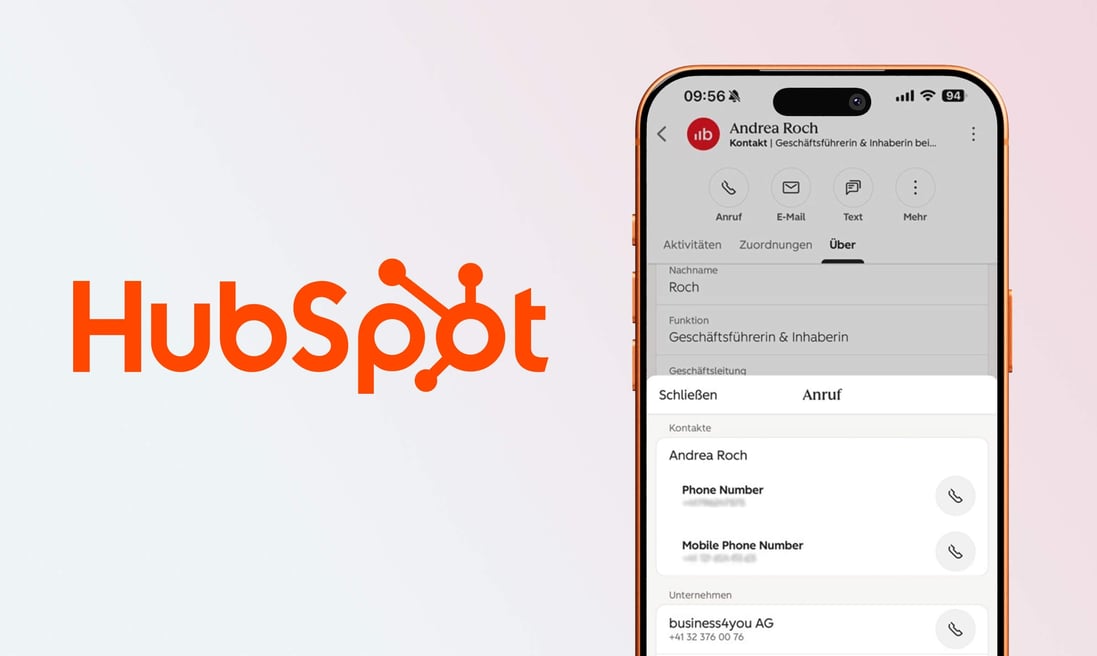
Making calls from HubSpot means initiating a call directly from the CRM instead of dialing the number separately on your phone. In the contact record, simply click the phone icon, and the call begins. The key difference from traditional phone calls isn’t in the dialing process itself, but in what happens afterward: The call is automatically logged, assigned to the correct contact, and made available for analysis.
→ There are three approaches, which this article compares in detail: HubSpot’s built-in calling feature, which runs through the browser or mobile app; a specialised telephony provider that integrates into the HubSpot interface; or a connection to the existing telephony solution, allowing employees to keep using the familiar infrastructure while calls are still logged in the CRM.
How does HubSpot’s native calling work?
HubSpot’s built-in calling feature is initiated from the contact record. In the call dialog, you select the caller ID and the device. You can choose to make calls via the browser using a headset connected to your computer, make calls using your own phone (with HubSpot establishing the connection), or make calls via the HubSpot mobile app.
One detail with cost implications: The option of using your own phone consumes twice as many call minutes because, technically, two connections are established. For teams with high call volumes, making calls via the browser is therefore generally the more cost-effective choice.
When it comes to phone numbers, HubSpot distinguishes between two types, and this difference is more significant than it might initially seem. A number provided by HubSpot is set up directly within HubSpot and can handle both outgoing and incoming calls, including call forwarding and voicemail. With a registered number, on the other hand, you keep your existing number with your current provider and simply verify it in HubSpot using a code. This works only for outgoing calls: If the customer calls back, your regular phone rings, and HubSpot isn’t notified of that call.
Can you call from HubSpot in Switzerland using a +41 number?
Yes, in principle, that’s correct. Switzerland is on both the list of countries where HubSpot provides phone numbers and the list of countries that can be called from within HubSpot. This means the basic requirement is met.
Important for Switzerland
If you only register your existing Swiss number with HubSpot instead of fully transferring it, calls to Swiss customers may no longer be delivered correctly: the recipient may see “unknown” on the display, or the call may be blocked by their telephone provider before the phone even rings.
The reason: Swiss network operators such as Swisscom and Sunrise check whether a displayed Swiss number actually originates from a Swiss network. HubSpot calls, however, technically originate from abroad. This check is intended to prevent fraudulent calls using spoofed numbers, but it also affects legitimate businesses. It initially applied only to fixed-line numbers and, since 1 July 2026, also applies to mobile numbers. HubSpot itself identifies two possible solutions: porting the existing number or obtaining a new number directly from HubSpot. We clearly recommend the second option; the next section explains why.
What options do Swiss companies have in practice?
In practice, three architectures have become established, which differ in terms of ease of use, effort required, and regulatory compliance.
| Option | Use in the CRM | Swiss phone numbers | Best suited for |
| HubSpot native calling | Full, no additional licence | New HubSpot number as an additional number | Sales teams for outbound calls, not as the main number |
| VoIP provider with HubSpot app | Almost full, second licence | Yes, depending on provider | Teams with high call volume or a need for dialler functions |
| Keep existing telephony (e.g. Teams) | Limited, runs in the background | Yes, fully under Swiss control | Companies with an existing telephone system, switchboard or Teams Phone |
HubSpot native calling with a Swiss HubSpot number
The most direct approach is to obtain a new Swiss number directly from HubSpot and use it as an additional number for the sales team, while the company’s main number remains with the existing provider.
Advantages: Everything runs in one system, with no additional licence and no second tool. Recording and AI analysis are built in, setup can be completed quickly, and the new number is displayed correctly by Swiss networks because it is properly registered from the outset.
Disadvantages: A HubSpot number exists only within HubSpot. Calls to that number are received exclusively through the browser or mobile app; a desk phone will not ring. Without an internet connection, the number cannot be reached, emergency calls are not possible, and devices such as fax machines, alarm systems or payment terminals cannot be connected.
In theory, an existing company number could also be transferred to HubSpot. This is legally permissible for a Swiss company: number portability is provided for under Swiss telecommunications law, the number remains within the Swiss numbering plan and is routed via the Swiss network partner of the underlying service provider, Twilio. Requirements include a Swiss address and an extract from the commercial register. Only fixed-line numbers can be ported; mobile numbers cannot.
Nevertheless, we generally advise medium-sized companies against this approach. The contracting party and data processing would shift to the US service provider Twilio, the main number would only be reachable through the browser and app, the switchboard with desk phones would no longer be available, and according to HubSpot, porting numbers outside the US takes four to six weeks. We therefore consistently recommend obtaining a new number for HubSpot and leaving existing numbers with the current provider.
Specialised VoIP provider with HubSpot app
The HubSpot App Marketplace offers more than 160 telephony apps. Some of the most widely used providers offering Swiss phone numbers include Aircall, CloudTalk, RingCentral, Dialpad, JustCall, Ringover and Zoom Phone. These providers integrate directly into the CRM interface through an official HubSpot integration: users click the number in HubSpot, make the call through the external provider, and the call is still logged automatically in the CRM.
Advantages: Full telephone-system features such as call queues, IVR menus and call routing, which HubSpot itself does not provide, plus, depending on the provider, automatic dialling through sales call lists. The user experience nevertheless remains largely within the CRM. With selected providers, HubSpot can even import call recordings directly, transcribe them and analyse them with AI, just as with HubSpot’s own calling feature.
Disadvantages: A second licence per person and a second system that has to be set up and maintained. The same rule applies here: before making a decision, test whether the provider displays Swiss numbers correctly.
For medium-sized companies that are modernising their telephony anyway, this is often the best compromise between CRM convenience and full telephony functionality.
Keep the existing telephony and connect it to HubSpot
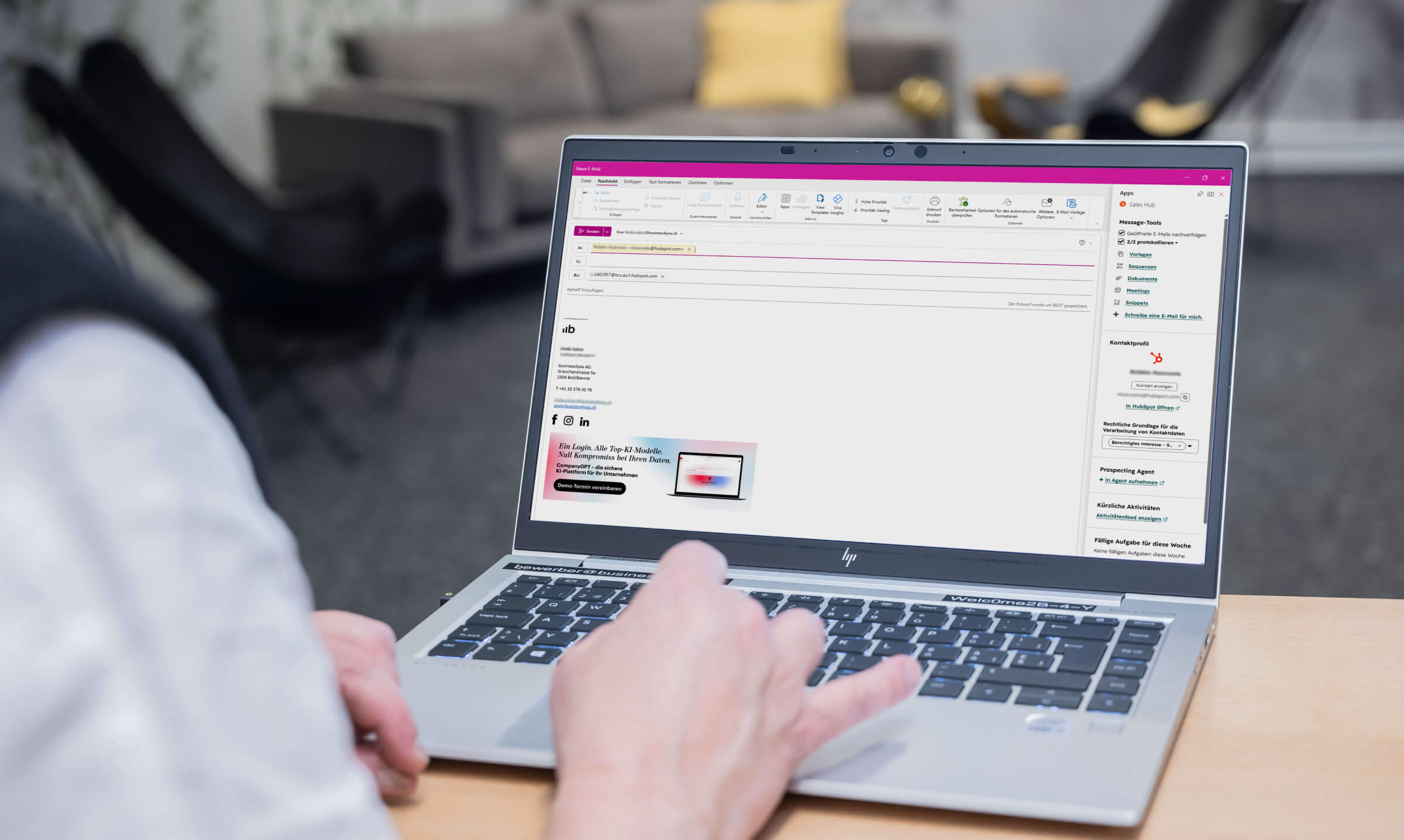
The third option leaves the telephony setup unchanged. The company continues to make calls through its existing solution, whether that is a telephone service from a Swiss provider such as Swisscom or Sunrise, its own telephone system or Microsoft Teams. HubSpot is simply connected to that solution so that calls are still documented in the CRM.
This is particularly relevant for companies that already use Microsoft Teams for telephony, which is becoming increasingly common among organisations using Microsoft 365. HubSpot provides an official Teams integration: once IT has configured it, calls employees make in Teams are automatically logged against the matching contact in HubSpot, as well as the associated company and deal. This applies to both outbound and inbound calls, including when customers call the company; the settings allow you to define which call types should be logged. After the call, a HubSpot notification service also appears directly in Teams, allowing notes and call details to be added without leaving Teams.
There are three important points to know. Logging requires the person called to already exist as a contact in HubSpot and the phone number to match exactly, including the country code. Calls do not appear immediately in the CRM, but on average after 15 minutes and no later than 60 minutes. And the Teams telephony function (Teams Phone) is required; Teams used only for video conferencing is not sufficient.
Advantages: Nothing changes for employees when making calls, desk phones, the switchboard and emergency-call capability remain in place, and the phone numbers remain fully under Swiss control, which is the cleanest regulatory starting point.
Disadvantages: The HubSpot connection runs in the background. Calls are recognised and logged, but calling still takes place through the existing solution rather than directly in the CRM interface. With Teams, only the key call details are transferred, i.e. who called whom, when and for how long, not the recording itself. AI analysis of these calls therefore depends on the capabilities of the existing telephony solution.
For most medium-sized companies, option 3 is the best foundation: the existing telephony setup, including the main number, switchboard and emergency-call capability, remains untouched while calls are still documented in the CRM. Companies that also want the full HubSpot functionality, such as recording and AI analysis, can add it selectively for the sales team only, either with an additional HubSpot number (option 1) or a specialised provider (option 2). For the reasons outlined above, we clearly advise against moving the company’s entire telephony setup to HubSpot.
How many calling minutes are included?
Call minutes for HubSpot’s in-house calling service are allocated per account and shared by the entire team, not per person. This is crucial when planning, because an active sales team will use up its quota faster than a per-person calculation would suggest.
| Sales Hub | Minutes per month | Phone numbers |
| Starter | 500 | 1 |
| Professional | 3.000 | up to 3 |
| Enterprise | 12.000 | up to 5 |
Additional minutes and phone numbers can be purchased, though prices vary depending on the location of the caller and the recipient. To make calls, each person also needs a personal user license, known as a “Sales” or “Service” seat.
What HubSpot calling cannot do
Just as important as the possibilities are the limitations, as this is where projects that sought to implement HubSpot as a full-fledged replacement for traditional phone systems have failed.
No emergency calls
HubSpot explicitly prohibits the use of its service for emergency calls or the provision of emergency services in its terms of use. Numbers such as 112, 144 or 117 cannot be reached through HubSpot. A HubSpot connection must therefore never be the only telephone connection at a location.
HubSpot also does not offer voice menus (“Press 1 for Sales”), call queues, or rule-based call routing. Incoming calls ring simultaneously for all assigned users, and even this basic routing requires a Professional or Enterprise plan. Anyone who needs a traditional switchboard with extensions, hold queues, and group rules will have no choice but to use a PBX system or a specialized provider.
For outbound sales, there’s no power dialer that automatically dials numbers one after another. Instead, HubSpot uses task lists and sequences that display a call task at the right time but do not automatically initiate the call. For teams that make a large number of cold calls every day, this is where an additional provider becomes worthwhile.
What about SMS and WhatsApp?
Text messages are often the fastest channel for customer contact, such as for appointment confirmations or follow-up questions. Swiss companies should take a closer look here, as the situation varies greatly when it comes to SMS and WhatsApp.
SMS:
HubSpot’s built-in SMS function is effectively not usable in Switzerland. It requires a paid add-on and sends exclusively from US numbers, meaning an SMS to a Swiss customer would arrive with a US sender number. The solution is to use specialised SMS providers from the HubSpot App Marketplace. They can send from a Swiss number or even use the company name as the sender, can be triggered from HubSpot (for example for automated appointment reminders), and store replies against the contact.
WhatsApp:
HubSpot offers an official, built-in integration, which is particularly relevant in Switzerland because WhatsApp is the country’s most widely used messaging app. A WhatsApp Business number is connected to the HubSpot inbox, incoming messages are handled centrally by the team instead of on an individual mobile phone, and every conversation is automatically documented against the contact. To proactively message customers, predefined message templates approved by WhatsApp are used; 1,000 such template messages per month are included.
What technical requirements apply?
This section applies to HubSpot's own telephony service (Option 1), since that is the only one where calls are made through the browser. If you use a specialized provider for your calls (Option 2), you’ll need to follow that provider’s own, comparable guidelines, and if you keep your existing phone system (Option 3), you’ll continue making calls as usual, without any new requirements.
Because calls are routed through the browser, voice quality depends on the internet connection and the company network. The details are the responsibility of the IT department; you should provide them with two pieces of information from the HubSpot documentation: a stable connection with 10 Mbit/s upload and download speeds, and the approval of the IP range 168.86.128.0/18 and UDP ports 10000 through 60000 in the firewall.
Missing firewall permissions are the most common reason why calls fail to connect or drop on corporate networks. This issue should therefore be addressed early on with the IT team—ideally before the trial period begins. Mobile browsers and tablets are not supported for telephony; the HubSpot mobile app is the recommended solution for these devices.
Checkliste for your IT team
The following points summarize all the technical details in this article for preparation. As a decision-maker, you can confidently leave this section to your IT department. The points regarding the network, firewall, and end devices apply to HubSpot’s own telephony solution (Option 1).
-
1. Network:
-
2. Firewall:
-
3. End devices:
-
4. Emergency arrangements:
-
5. Rufnummern:
-
6. Data protection:
-
7. Retention:
Network:
Ensure a stable connection with 10 Mbit/s upload and download speed per workstation.
Firewall:
Allow the IP range 168.86.128.0/18 and UDP ports 10000 to 60000. This is the most common source of errors.
End devices:
Calling runs in the desktop browser or the HubSpot mobile app. Mobile browsers and tablets are not supported.
Emergency arrangements:
HubSpot cannot make emergency calls. Provide a second telephone connection at each location for 112, 117, 118 and 144.
Phone numbers:
Obtain a new Swiss number for HubSpot instead of porting an existing number. Before rollout, test whether the number is displayed correctly to Swiss recipients.
Data protection:
Call data is processed by Twilio in the US, even when the HubSpot account is hosted in the EU. Update the record of data processing activities and privacy notice accordingly.
Retention:
HubSpot does not provide an automatic retention period for call recordings. The organisation must implement its own deletion process.
What does telephony in the CRM deliver for a sales team?
The real benefit lies not in making the call, but in comprehensive documentation, and all three options provide this core benefit: Each call is automatically assigned to the contact and also appears under the linked company and the active sales opportunity (the deal). No one has to manually log who they spoke with or when anymore.
However, the level of detail in the documentation varies depending on the option. With HubSpot’s own calling feature (Option 1) and specialized providers (Option 2), every call is initiated directly from the CRM, and the system records the destination, duration, and outcome of the call—that is, whether the person was reached, whether a message was left, or whether the number was incorrect. In addition, call recording and AI analysis are available upon request. Those who keep their existing phone system (Option 3) receive the key details of the calls—that is, who called whom, when, and for how long—with the aforementioned delay for Teams and without recording.
For sales management, Options 1 and 2 in particular provide a data foundation that did not exist before. Analyses show calls per day and per employee, average call duration, and the distribution of call outcomes. This makes it possible to determine how many contact attempts, on average, lead to an appointment and where in the process calls fall through. With Option 3, such analyses are correspondingly less detailed because the call outcome is missing.
For individual employees, the key benefit across all three options is that preparation is no longer necessary. The entire history is visible before the call, and nothing needs to be logged afterward. And when an employee is on vacation or handing off duties, their replacement can immediately see what was last discussed, rather than having to rely on handwritten notes.
How does AI support telephony in HubSpot?
First, a note on classification: The AI features in this section are available with HubSpot’s own telephony system (Option 1) as well as with select specialized providers (Option 2) whose recordings HubSpot can import. If you keep your existing phone system (Option 3), you won’t be able to use these features because recordings aren’t transferred to HubSpot.
Recorded calls are automatically transcribed and analyzed by HubSpot. This feature is called Conversation Intelligence and provides a summary that includes the purpose of the call, key points, decisions made, tone, and next steps. Additionally, transcripts can be searched, which makes it much easier to find specific statements.
Set realistic expectations
Swiss German is not listed as a separate language. AI transcription of Swiss German generally works: the system classifies the dialect as German and renders the meaning in Standard German. However, the quality is not yet completely accurate and may vary depending on the dialect. The development is encouraging: recognition is improving almost month by month. At business4you, we are currently running our own pilot and testing transcription quality every month using real conversations.
Beyond simple transcription, HubSpot analyzes conversation data for sales management. Metrics such as talk time, speaking speed, longest monologue, and interactivity provide insight into how a conversation unfolded. Managers can comment on specific sections of the transcript, enabling them to provide targeted coaching rather than general feedback. In the Enterprise version, users can also define “tracked terms”—such as competitors’ names or common objections—which are then automatically recorded and analyzed whenever they are mentioned.
In addition, HubSpot suggests next steps based on call and deal data and highlights updates that would be useful in the CRM. Automatic transcription and call analysis require a seat in Sales Hub or Service Hub Professional or Enterprise; tracked terms are available only in the Enterprise version.
What are the legal requirements for call recordings in Switzerland?
This point is regularly underestimated in telephony projects, as in Switzerland not only data protection laws apply, but also criminal law. According to Article 179ter of the Swiss Criminal Code, anyone who, as a participant in a conversation, records a non-public conversation without the consent of the other parties involved is liable to prosecution. The decisive factor here is not whether the recording is made secretly, but whether consent has been obtained.
While there is an exception for business-related conversations concerning orders, contracts, or reservations, the Federal Data Protection and Information Commissioner interprets this exception narrowly. Consultations, sales calls, and negotiations generally do not fall under this exception. Furthermore, recordings made in this manner may, in principle, be used only for evidentiary purposes—not for training, quality assurance, or evaluation. Yet these are precisely the purposes for which companies wish to use recordings.
Added to this are the requirements of the revised Data Protection Act: Data subjects must be informed in advance of the purpose and recipients; recordings must be deleted as soon as the purpose is fulfilled; and in cases of high risk, a data protection impact assessment may be required.
Consider data location
For telephony, HubSpot works with the US service provider Twilio, which technically handles calls on HubSpot’s behalf and processes data in the US. This also applies to HubSpot accounts hosted in the EU data centre in Germany. Moving the account location to the EU therefore does not resolve the issue for telephony. This transfer of data abroad must be reflected in the record of data processing activities and in the privacy notice, and must be contractually safeguarded.
A third point concerns the company’s own employees. According to Article 26 of Ordinance 3 to the Labor Act, surveillance systems designed to monitor behavior in the workplace are prohibited, regardless of whether consent has been given. Recordings for quality assurance purposes are permitted only if they are proportionate, employees have been informed in advance, and a clear notice is provided. Continuous, blanket recording of all conversations for performance evaluation purposes is the riskiest configuration imaginable.
Another practical consideration is that HubSpot does not document a configurable retention period for recordings. Anyone wishing to establish a deletion period must ensure that the process is implemented within their own organization.
This section reflects the current state of publicly available information and is not a substitute for legal advice. For specific implementation details, particularly regarding recordings of employee conversations, it is recommended to consult with an attorney.
Conclusion
HubSpot’s telephony feature integrates the channel into the CRM through which the most important sales conversations take place. Calls are automatically documented in all three scenarios; whether using HubSpot’s own telephony or a selected specialized provider, AI additionally summarizes the conversations and makes them analyzable, so that managers receive reliable data rather than relying on gut feelings.
You're considering bringing telephony into your CRM and want to know which option fits your existing infrastructure and team size?
We support you as a HubSpot partner from evaluation through to implementation.
Information in this post is current as of August 2026. All information in this article—such as license scope, call minutes, supported languages, and legal requirements—refers to this date and has been verified against the official HubSpot documentation. We expressly reserve the right to make changes to prices, content, and features.
Frequently asked questions about calling with HubSpot
Can you call from HubSpot using a Swiss number?
Yes. Switzerland is on both the list of countries in which HubSpot provides phone numbers and the list of countries that can be called from HubSpot. The decisive factor, however, is which type of number is used as the caller ID.
Why are calls displaying Swiss numbers blocked or anonymised?
Swiss network operators filter calls that display a Swiss phone number as the caller ID but originate from a foreign network. HubSpot notes that this affects fixed-line and geographic numbers and that enforcement was extended to mobile numbers from 1 July 2026. The solution is to use a Swiss number provided by HubSpot. We advise against porting the existing number.
Can HubSpot be used for emergency calls?
No. HubSpot explicitly prohibits the use of its service for emergency calls or the provision of emergency services in its terms of use. Numbers such as 112, 144 or 117 cannot be reached through HubSpot. A HubSpot connection must therefore never be the only telephone connection at a location.
Does HubSpot replace a telephone system?
No. HubSpot does not provide IVR menus, call queues or rules-based call routing. Incoming calls ring simultaneously for all assigned users, and this function requires Professional or Enterprise. A conventional switchboard with extensions and call queues still requires a telephone system or specialised provider.
How many calling minutes are included in HubSpot?
The minutes apply per account and are shared by the entire team, not allocated per person. In Sales Hub, Starter includes 500 minutes per month and one phone number, Professional includes 3,000 minutes and up to three phone numbers, and Enterprise includes 12,000 minutes and up to five phone numbers. Additional minutes can be purchased.
How long does it take to port a Swiss number to HubSpot?
HubSpot states that porting numbers outside the US takes four to six weeks. Only fixed-line numbers can be ported; mobile numbers cannot. One important consideration is that once a number has been ported, it is reachable only through HubSpot and no longer through desk phones or the previous telephone system. We therefore advise against porting and recommend obtaining a new HubSpot number instead.
Should a company port its main number to HubSpot?
No, we advise against it. A ported number is reachable only through the browser and HubSpot app, does not work without an internet connection and cannot be used for emergency calls. A proven approach is to leave the main number with the existing provider and use an additional HubSpot number for the sales team.
Are calls automatically logged in the CRM?
Yes. Calls are automatically assigned to the contact and the associated companies and deals, and appear in the activity timeline. With HubSpot’s native calling and specialised providers, the direction, duration and call outcome are recorded; with a connected existing telephony solution, such as Microsoft Teams, the CRM receives the key call details.
Does HubSpot’s AI transcription support German and French?
Yes. German, French and Italian are among the more than 100 languages HubSpot supports for automatic call transcription. The language is detected automatically and cannot be set manually. Swiss German is recognised as German and rendered approximately in Standard German; quality can still vary by dialect, but is improving continuously.
Which HubSpot licence is required for telephony and AI analysis?
To use HubSpot’s native calling, the user must have an assigned Sales or Service Seat. Automatic transcription and call analysis require a seat in Sales Hub or Service Hub Professional or Enterprise. Tracked terms are available only in Enterprise. External providers and connected existing telephony solutions are licensed separately.
What technical requirements apply to telephony in HubSpot?
For HubSpot’s native calling, HubSpot specifies a stable connection with 10 Mbit/s upload and download speed; the firewall must allow the IP range 168.86.128.0/18 and UDP ports 10000 to 60000. Missing these rules is the most common cause of failed calls and should be clarified with IT before launch. Companies using an external provider or their existing telephone system follow the requirements of those solutions.
Where are HubSpot call recordings processed?
Calls are handled on HubSpot’s behalf by the US service provider Twilio, with data processing in the US, including for accounts hosted in the EU data centre. For Swiss companies, this constitutes a transfer of data abroad that must be documented and reflected in the privacy notice.
May customer calls be recorded in Switzerland?
Only with the consent of all participants in the conversation. Recording a non-public conversation without consent is a criminal offence under Art. 179ter of the Swiss Criminal Code. The information obligations under the revised Data Protection Act also apply. This article does not constitute legal advice.
Can an existing telephone system be connected to HubSpot?
Yes. Existing telephony solutions such as Microsoft Teams or a telephone system can be connected to HubSpot; employees continue to make calls as usual, while calls are logged against the contact in the background. Companies that want full operation from within the CRM can choose from more than 160 telephony apps from specialised providers in the HubSpot App Marketplace, including Aircall, CloudTalk, RingCentral, Dialpad and Zoom Phone.
Can SMS messages be sent from HubSpot to Swiss numbers?
Not with HubSpot’s native SMS function. It requires a Marketing Hub add-on and allows messages to be sent exclusively from US numbers. Swiss companies therefore need a provider from the App Marketplace.
Can WhatsApp be used with HubSpot?
Yes, through the official WhatsApp integration. A WhatsApp Business number is connected to the HubSpot inbox, the team answers messages centrally, and every conversation is stored against the contact. Marketing Hub or Service Hub Professional or Enterprise is required; 1,000 template messages per month are included.